Cut the friction out of home health tracking in three moves: turn on auto-sync over Wi-Fi instead of relying on Bluetooth-only pairing, switch your app to show weekly averages instead of daily numbers, and add two low-effort context metrics, waist circumference and a progress photo, so the scale stops carrying all the emotional weight. That setup takes under 10 minutes and it changes everything about how sustainable tracking feels.
Here's the fast path:
- Install the companion app and create your account.
- Pair the scale over Wi-Fi (preferred over Bluetooth for background updates).
- Enable Apple Health or Google Fit sync so data lands automatically.
- Switch the dashboard to weekly averages instead of daily readings.
- Log waist circumference once a week and snap a progress photo monthly.
The Uvirello Smart Electronic Weight Scale ships with these settings easy to enable out of the box, and it's backed by more than 12,000 customer reviews averaging 4.8 out of 5. Weekly averaging isn't just a comfort feature, either. Analyses of scale-based tracking behavior show that surfacing weekly summaries instead of instant numbers reduces compulsive checking and improves adherence.
Key Takeaways
Reducing health monitoring friction comes down to automating data flow, viewing weekly averages instead of daily numbers, and pairing scale data with context metrics like waist circumference and sleep.
| Point | Details |
|---|---|
| Prioritize Wi-Fi sync | Wi-Fi auto-sync avoids the data gaps that Bluetooth-only pairing creates when your phone isn't nearby. |
| Switch to weekly averages | Hiding instant results and viewing weekly trends reduces compulsive checking and improves adherence. |
| Add two context metrics | Track waist circumference weekly and take a progress photo monthly to catch changes the scale misses. |
| Fix sync issues fast | Restart devices, check Wi-Fi credentials, and replace CR2032 batteries every 6 to 12 months. |
| Uvirello ships low-friction defaults | The Smart Electronic Weight Scale enables Wi-Fi auto-sync, multi-user recognition, and weekly averaging out of the box. |
Table of Contents
- How do you reduce health monitoring friction steps during setup?
- How do you automate data flow between scale and apps?
- What's the simplest daily weighing routine?
- How should you read the trend instead of the daily number?
- What do you do when sync or recognition breaks?
- How the Smart Electronic Weight Scale removes these steps
- Can voice reminders make monitoring easier?
- A short note on designing monitoring for the long haul
- Get These Settings Without the Setup Work
- Frequently Asked Questions
- Sources
How do you reduce health monitoring friction steps during setup?
Most people abandon a new scale in the first week, not because the hardware fails, but because setup drags on longer than it should. The fix is a tight sequence you can finish before your coffee gets cold.
- Unbox the scale and place it on a hard, level floor. Carpet throws off the internal sensors.
- Power it on and download the companion app.
- Create your account and confirm your basic profile (height, age, sex assigned at birth).
- Pair via Wi-Fi if the model supports it. Bluetooth works, but it depends on your phone being nearby for every sync.
- Step on once to confirm the scale recognizes you as a distinct user, especially if others in your home will use it too.
Once you're paired, change three settings immediately. Turn off the on-device numerical display if you know you'll be tempted to check it standing there. Enable weekly averages in the app so the dashboard stops showing single-day spikes. And opt into Apple Health or Google Fit sync so every reading routes automatically without you touching an export button.
Setup on comparable connected scales, including the Withings Body Smart, typically follows the same shape: app, account, pairing, done. The pattern holds because it works.
Pro Tip: Test your sync immediately. Take one reading, then check your Health app within five minutes to confirm it landed. If your scale is Bluetooth-only, keep your phone within range for the first 24 hours. The pairing needs a few sessions to "warm up" and recognize you reliably.
How do you automate data flow between scale and apps?
Wi-Fi connectivity does something Bluetooth-only scales can't: it pushes data to the cloud even when your phone is in another room, asleep, or dead. That difference matters more than it sounds. Bluetooth-only setups create gaps every time your phone isn't nearby at the exact moment you weigh in, and gaps in a trend line are worse than no data at all because they invite guessing.
Cellular and Wi-Fi transmission models used in employer wellness programs illustrate the point at scale. One remote monitoring program built for weight management leaned on automatic transmission specifically because manual logging killed adherence. The same logic applies at home, just with lower stakes.
Three integrations are worth enabling the day you unbox your scale:
- Apple Health or Google Fit sync so your weight data sits next to sleep and activity numbers automatically.
- Sleep and activity tracker integration, which gives you the context to explain a weird reading instead of panicking over it.
- Weekly summary exports or calendar reminders, so you review data on your terms once a week instead of glancing at it daily.
Adjust sync frequency in your app settings if constant background updates drain your battery faster than you'd like. If you'd rather keep body-composition data off the cloud entirely, most apps let you switch to manual sync, though you'll trade some convenience for that privacy. Segmental BIA sensors, automatic multi-user recognition, and Wi-Fi auto-sync are the three features that consistently separate low-friction scales from ones that end up in a closet by March.
What's the simplest daily weighing routine?
Three steps, repeated the same way each time, beat any complicated tracking system:
- Weigh at the same time each chosen day, ideally first thing in the morning, after using the bathroom, before eating or drinking.
- Keep conditions identical: same rough clothing (or none), same spot on the floor, same scale.
- Let the app show only 7-day or weekly averages. Don't check the raw daily number if you can help it.
If you're someone who weighs in daily for habit reasons, that's fine, just automate away the temptation to react. Hide instant results in your app settings so the number doesn't flash the second you step off. Build a Sunday ritual instead: five minutes reviewing your weekly trend line, your average, and how it compares to last week.
Pro Tip: Physically move the scale out of your direct line of sight. Face it toward a wall, or store it in a closet between uses. Combine that with muted app notifications, and you remove most of the "glance triggers" that turn a quick weigh-in into an anxious spiral.
This isn't about willpower. It's about designing your environment so the easy path is also the calm one.
How should you read the trend instead of the daily number?
A single reading tells you almost nothing. Hydration, sodium intake, the timing of your last meal, and even how much you slept can swing your weight by 2 to 5 pounds in a single day. None of that reflects fat loss or gain. What matters is the direction of your weekly average over three or four weeks, not what the scale says on any given Tuesday.
If you're in an intentional fat-loss phase, a 0.5% to 1% weekly weight change is a reasonable target range to watch for in your average, not a rule to chase day by day.
Two context metrics do more work than people expect:
- Waist circumference, measured weekly at the same spot (usually at the navel), tracks fat distribution changes that the scale alone can miss.
- Progress photos, taken bi-weekly or monthly in consistent lighting and pose, catch body recomposition even when total weight barely moves.
A simple strength benchmark, like your working weight on a squat or push-up count, adds a third data point that flags muscle loss before it shows up anywhere else. Home body-fat estimates from circumference formulas and photo comparisons carry real error margins, but they're reliable enough for tracking direction over time, which is the only job they need to do.
Pro Tip: When your weekly average ticks up unexpectedly, check your sleep and step data before you assume fat gain. A rough night or a low-activity week explains most short-term shifts, and that context takes the blame off you. Pairing scale data with sleep and activity numbers is exactly what experts covering smart-scale trends at CES 2026 recommend to keep the number from becoming emotionally loaded.
What do you do when sync or recognition breaks?
Most tracking abandonment doesn't come from bad data. It comes from a broken sync that never gets fixed, so the habit quietly dies. Here's the fast recovery checklist:
- Sync failure: restart the scale, restart your phone, verify your Wi-Fi password hasn't changed, and check that the app has Background App Refresh and Location permissions enabled if required.
- Battery issues: a flaky Bluetooth handshake is often just a dying CR2032 coin cell. Swap it before troubleshooting anything else.
- User recognition problems: enable automatic multi-user detection rather than manually selecting your profile every time, since that extra tap is exactly the kind of friction that breaks habits. Check that stored profile weights haven't drifted, and update firmware if recognition seems inconsistent.
- Calibration drift: always weigh on a hard, level floor. Carpet and uneven tile both distort sensor readings. Re-zero the scale after any firmware update.
Replace CR2032 batteries every 6 to 12 months even if the scale still seems to work. A weak battery causes intermittent Bluetooth drops long before it dies completely, and those small failures are what quietly convince people to give up. If your household shares one scale, a dedicated multi-user profile setup prevents the recognition mixups that cause the most support headaches.
How the Smart Electronic Weight Scale removes these steps
Uvirello built its Smart Electronic Weight Scale around the exact friction points covered above, so most of the fixes come pre-enabled rather than requiring you to dig through settings.
- Wi-Fi auto-sync pushes readings to the cloud without needing your phone in the room.
- Segmental BIA sensors deliver consistent relative readings for body fat percentage and BMI, so your trend line stays reliable even though no home device measures fat with lab precision.
- Automatic multi-user recognition means each household member gets matched to their profile without a manual selection step.
- Privacy controls, including on-device encryption and optional cloud sync, let you decide how much data leaves the scale.
Customers report the setup taking minutes, not an evening lost to app troubleshooting, part of why the product holds a 4.8 out of 5 average across more than 12,000 reviews. The three settings worth toggling the moment you unbox it: weekly averages on, Health app sync on, and screen-hide mode enabled so the number doesn't flash before you're ready to see it.
Can voice reminders make monitoring easier?
Voice assistants solve a problem that app settings can't: they remove the decision to remember. Setting a recurring reminder through Alexa or Google Assistant ("remind me to weigh in every Monday morning") takes the scheduling burden off your memory entirely, and it works even on days when you're not thinking about health tracking at all.
A few setups worth trying. If your scale or phone supports voice-triggered app launches, use a simple phrase to pull up your weekly trend view instead of hunting through menus. Calendar-based reminders synced to your phone's assistant can nudge you toward your Sunday review ritual without you having to remember to open the app. Some users set a recurring smart-speaker routine that reads back last week's average alongside their sleep score, turning a five-minute manual check into a passive announcement.
The goal isn't to add more technology for its own sake. It's to offload the parts of tracking that depend on memory or motivation, since those are the parts most likely to fail during a busy week. A reminder that fires automatically doesn't care whether you're tired, distracted, or just don't feel like opening an app that day.
A short note on designing monitoring for the long haul
The people who stick with health tracking for years aren't the ones with the most willpower. They're the ones who automated the boring parts and stopped treating the scale as a daily verdict. Track trends, not drama. Build the system once, then let it run quietly in the background of your life.
Get These Settings Without the Setup Work
The Uvirello Smart Electronic Weight Scale comes with the low-friction settings covered in this article already active, so you're not hunting through menus to enable weekly averages, Wi-Fi auto-sync, or multi-user recognition. It's simply how the scale works out of the box.
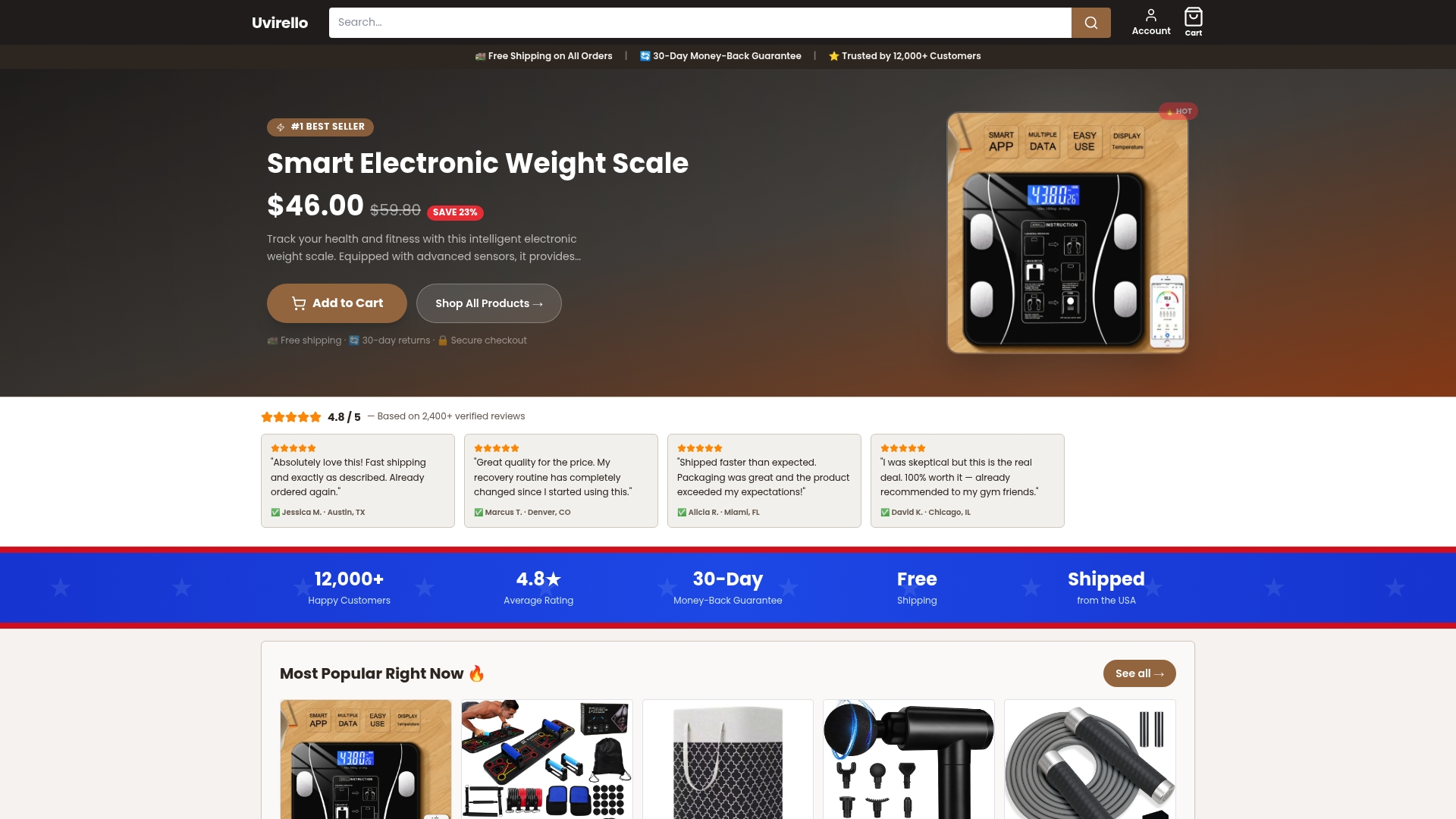
The product page shows the full spec sheet, including the high-precision sensors and privacy controls behind those numbers, plus current warranty and support details for anyone who wants backup before they buy. If you're ready to stop wrestling with a scale that fights your routine, that's the place to start.
Frequently Asked Questions
What's the fastest way to reduce health monitoring friction steps? Enable Wi-Fi auto-sync, switch your app to weekly averages, and connect Apple Health or Google Fit so every reading routes automatically. That combination removes almost all the manual steps that cause people to quit tracking.
Should I weigh in daily or weekly? Weigh in as often as you like, but only review weekly averages. Daily fluctuations of 2 to 5 pounds from hydration and food are normal and don't reflect real fat loss or gain.
Why does my smart scale show inconsistent body fat percentages? Segmental BIA sensors estimate body composition using electrical resistance, which shifts with hydration levels throughout the day. Weigh at the same time under the same conditions, and trust the trend over individual readings, since no home method measures fat percentage with lab precision.
What non-scale metrics should I track alongside weight? Waist circumference weekly and a progress photo monthly give a clearer picture of body recomposition than weight alone, especially during strength training phases when the scale can stay flat while your body changes.
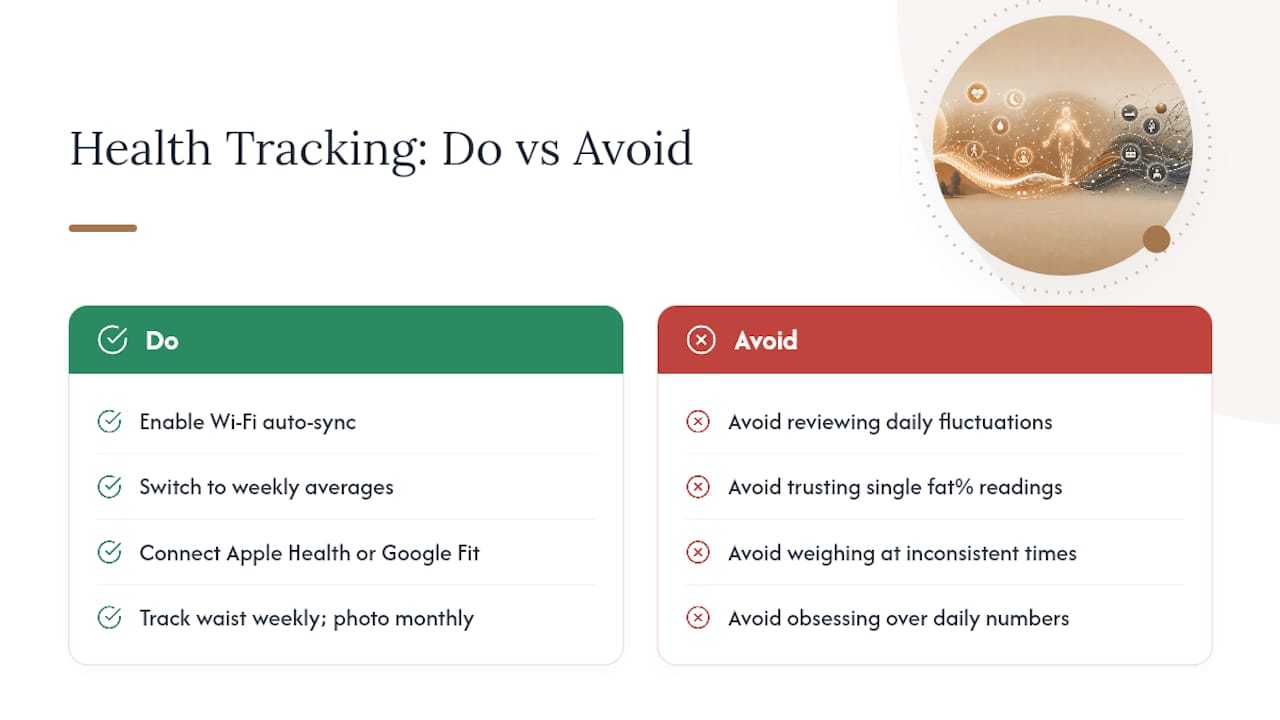
How do I stop obsessing over daily scale numbers? Hide instant results in your app settings, mute notifications, and physically store the scale out of sight between uses. Configuring these settings has been shown to reduce compulsive checking and improve adherence.
Sources
- Withings Body Smart review
- How to track body recomposition — five metrics better than scale weight
- How to track body fat percentage at home
- How to use a smart scale without obsessing over your weight